Pre-packaged software is designed for the broadest possible audience, which means it tends to address common pain points in a one-size-fits-all way. Most businesses, however, operate around workflows, data structures, and bottlenecks that are anything but standard and no ready-made tool was ever built with those exact conditions in mind.
This is the gap custom AI applications fill. Instead of forcing your business to adapt to a tool, a custom AI application is engineered around how your business actually operates its data, its rules, and its goals.
This guide breaks down what a custom AI application actually is, and the five core stages involved in building one, from initial problem definition through to deployment and monitoring.
What Is a Custom AI Application?
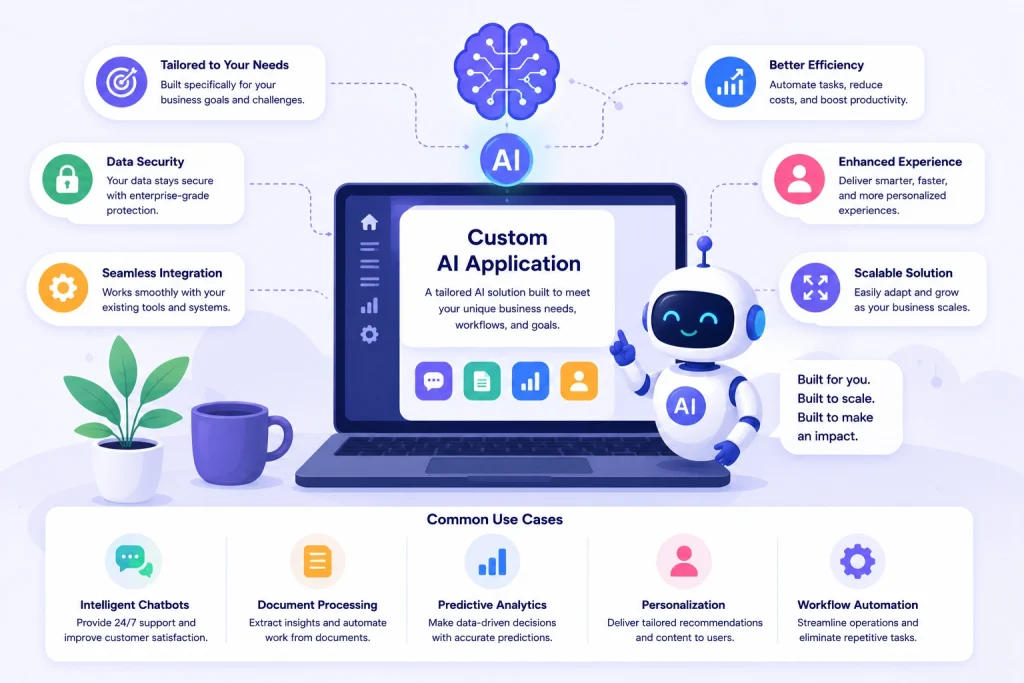
A custom AI application is software built specifically for a business’s unique requirements, using machine learning, natural language processing, or other AI techniques to automate decisions, analyze data, or generate outputs that a static, rule-based system cannot. Unlike commercial AI tools, a custom build is trained or configured around an organization’s own data and processes which generally makes its outputs more accurate and more relevant to that specific business context.
How to Build a Custom AI Application: 5 Core Steps
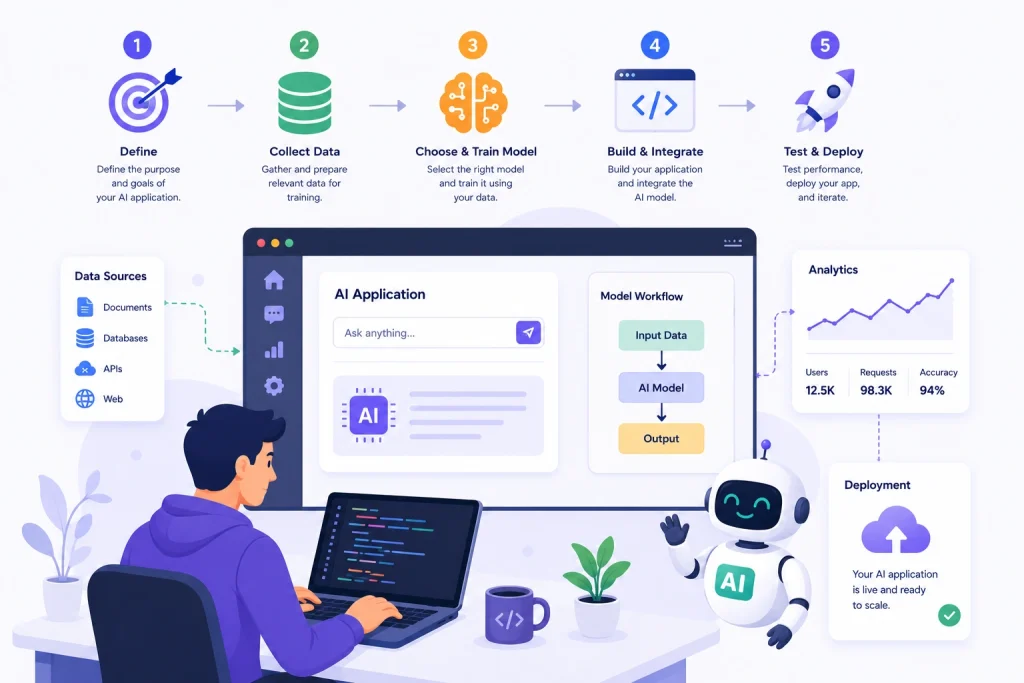
1. Define the Business Problem
Every successful AI project starts with a narrow, well-defined problem not a vague ambition to “use AI.” Before any technical work begins, the right question to ask is: what specific decision, task, or bottleneck is costing time, money, or accuracy today?
A clearly scoped problem statement should specify:
- The exact task the AI system needs to perform
- The current process being replaced or improved
- A measurable outcome that defines success (e.g., reduced processing time, improved prediction accuracy, lower error rate)
Skipping this step is the most common reason AI projects fail to deliver value teams build sophisticated models that solve a problem nobody actually had.
2. Prepare and Structure the Data
The output quality of any AI system is directly tied to the quality of what it’s trained on strong models built on weak data will still produce weak results. This phase often takes more time than the actual model-building work, and generally covers:
- Data collection — gathering relevant historical and real-time data from internal systems, databases, or third-party sources
- Data cleaning — fixing inconsistencies, eliminating duplicate entries, and addressing gaps in the dataset
- Data labeling — for supervised learning tasks, accurately tagging data so the model can learn correct patterns
- Data structuring — organizing data into formats suitable for training, such as structured tables, embeddings, or vector databases
Poor data quality at this stage will surface later as inaccurate predictions, biased outputs, or inconsistent performance no amount of model tuning can fully compensate for weak input data.
3. Choose the Right AI Approach
Not every AI application needs a large generative model. The right technical approach depends on the nature of the problem:
| Approach | Best suited for |
| Traditional machine learning | Structured data, prediction, classification, forecasting |
| Natural language processing (NLP) | Text analysis, chatbots, document processing |
| Generative AI / LLMs | Content generation, conversational interfaces, summarization |
| Computer vision | Image recognition, quality inspection, object detection |
| Rule-based + AI hybrid | Tasks needing both deterministic logic and adaptive learning |
Selecting an unnecessarily complex model increases cost, latency, and maintenance overhead without improving outcomes. The right approach is the simplest one that reliably solves the defined problem.
4. Build, Train, and Integrate
With data prepared and the approach selected, development moves into:
- Model building — constructing or fine-tuning the model architecture based on the chosen approach
- Training and evaluation — training the model on prepared data, then testing it against unseen data to measure accuracy, precision, and reliability
- Integration — connecting the AI model to existing business systems such as CRM, ERP, or internal databases via APIs, so it can access real data and return outputs directly within existing workflows
Integration is often underestimated. An AI model that performs well in isolation but cannot communicate with the systems your team already uses delivers little practical value.
5. Deploy and Monitor
Launching an AI application isn’t the finish line it’s the start of an ongoing feedback loop. After deployment:
- Monitor model performance against real-world data, since accuracy can drift over time as conditions change
- Collect user feedback to identify edge cases the model handles poorly
- Retrain periodically with updated data to maintain accuracy and relevance
- Track operational metrics such as response time, error rate, and business impact (cost savings, time saved, accuracy gains)
AI systems that aren’t monitored and retrained tend to degrade in performance over time a phenomenon known as model drift making this final step as important as the build phase itself.
Frequently Asked Questions
Final Thoughts
Building a custom AI application is less about chasing the latest model and more about solving a real, well-defined problem with the right data and the right level of technical complexity. Businesses that follow a structured approach clear problem definition, clean data, the right model choice, careful integration, and ongoing monitoring consistently see better, more sustainable results than those that treat AI as a one-time technical project.
If you’re exploring whether a custom AI application makes sense for your business, our team can help assess your use case and outline a practical path forward.